


Kostenlos · APK-Download
Vorschau
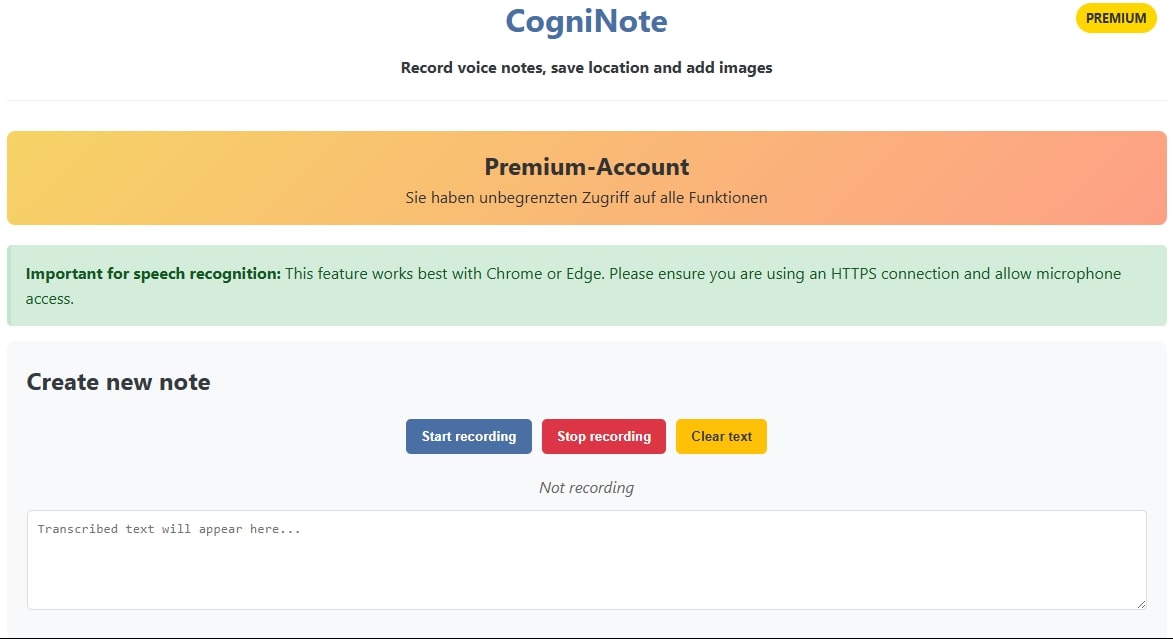

Über CogniNote
CogniNote - Your Everyday Companion
Imagine being able to capture every idea, every memory, and every moment instantly, without the hassle of typing. Our new CogniNote app makes that a reality.
Revolutionary Capture Technology
????? Next-Generation Speech Recognition
Record your thoughts simply by speaking.
???? Automatic Transcription via Web Speech API
Perfect for when you're on the go, driving, or have your hands full.
???? Automatic Location Saving
?? Add Images to Your Recordings
Take photos with your phone camera or select existing images.
Combine voice recordings, text, and visual impressions. Everything is stored locally—completely privacy-friendly! ???? Your data belongs to you.
Perfect for...
Creatives - Capture inspirations the moment they strike.
Travelers - Document experiences with location, images, and descriptions.
Professionals - Jot down meeting notes and ideas.
Students - Organize learning content with multimedia.
Everyone who wants to document more efficiently and intuitively.
CogniNote - Remember everything that matters!
Wissenswertes zur App
CogniNote ist eine kostenlose Android-App aus der Kategorie Blogs & Nachrichten, die hagbard mit dem merq Appmaker erstellt und am 24.08.2025 auf apps.merq.org veröffentlicht hat. Die App zählt bislang 304 Downloads.
Als App für Blogs und Nachrichten bringt CogniNote die Inhalte einer Website oder eines Feeds direkt auf das Smartphone – neue Beiträge lassen sich so bequem unterwegs lesen. Der Download erfolgt als APK-Datei und ist kostenlos. Nach dem Herunterladen genügt es, die Installation aus unbekannten Quellen zu bestätigen.
Von hagbard findest du außerdem 29 weitere Apps im Store. Angaben zum Anbieter findest du im Impressum auf dieser Seite. Name, Beschreibung und Inhalte der App stammen vom Uploader; Fragen zur App beantwortet hagbard am besten direkt.
So installierst du die App
- Öffne diese Seite auf deinem Android-Gerät und tippe auf „Installieren“.
- Erlaube bei Nachfrage die Installation aus „unbekannten Quellen“ für deinen Browser.
- Öffne die heruntergeladene APK-Datei und bestätige die Installation.
Am Computer? Teile den Link über „Teilen“ an dein Smartphone.


