


Free · APK download
Preview

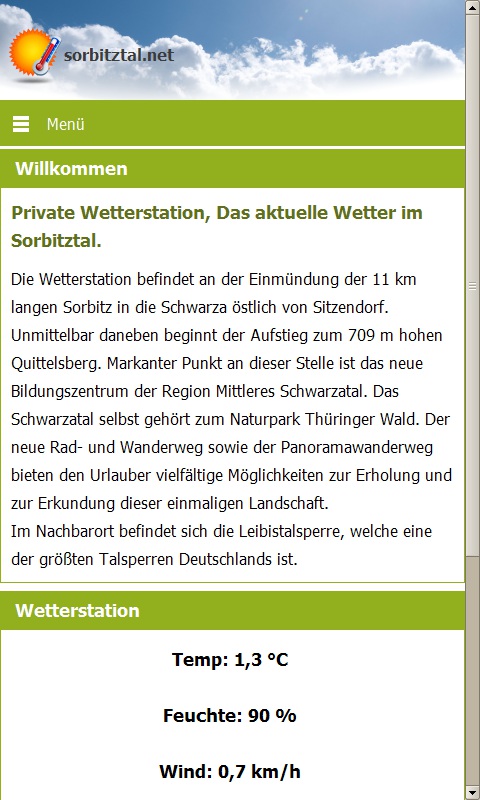
About Private Wetterstation Sorbitztal
Haftung für Wetterdaten, Blitzortung und Wetterberichte:
sorbitztal.net ist ein privater und nicht kommerzieller Service im Internet. Da auch die Wetterstation und somit die Daten privat sind, können keine rechtskräftigen Aussagen getroffen werden. Zudem übernimmt sorbitztal.net keine Haftung für die Richtigkeit der Wetterdaten (Blitzortung, Wettervorhersagen, Wetterwarnungen und die App).
Haftung für Wetterwarnung:
sorbitztal.net haftet auch nicht für zu spät oder nicht zugestellte Wetterwarnungen, da die Daten automatisiert abgebholt bzw gespeichert werden. Wir sind auch nicht für den Inhalt der Wetterwarnungen verantwortlich, da diese unverändert automatisiert von wettwarn.de und dem Deutschen Wetterdienst übernommen werden.
Serverzeiten für die Wetterstation und Wetterwarnung:
Die Wetterwarnungen werden rund um die Uhr automatisch aktualisiert, die Wetterstation wird nur von 08:00 bis 23:59 Uhr aktualisiert.
Kommerzielle Wetterdienste:
www.dwd.de
www.wetter.com
www.unwetterzentrale.de
www.kachelmannwetter.com
About the app
The Android app Private Wetterstation Sorbitztal comes from Sebastian Michel and has been available for free in the apps.merq.org community app store since Jan 22, 2014 – listed in the Science category. 825 users have already downloaded Private Wetterstation Sorbitztal.
As a science app, Private Wetterstation Sorbitztal presents knowledge, articles and news from education, research or technology on mobile. The app is installed as an APK file directly from apps.merq.org – no Google account required. You only need to allow installation from unknown sources once.
Details about the provider can be found in the imprint on this page. The uploader has also linked a privacy policy for the app. The name, description and content of the app come from the uploader; questions about the app are best answered by Sebastian Michel directly.
How to install the app
- Open this page on your Android device and tap “Install”.
- If asked, allow your browser to install apps from “unknown sources”.
- Open the downloaded APK file and confirm the installation.
On a computer? Use “Share” to send the link to your phone.


