


Free · APK download
Preview

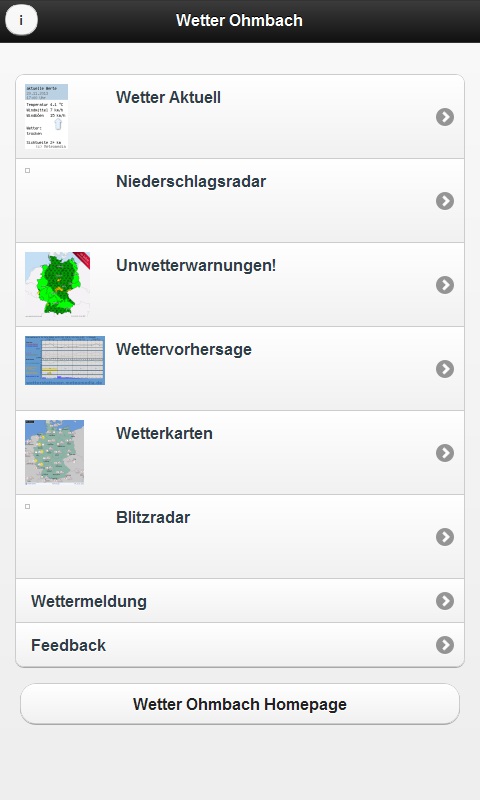
About WetterOhmbach
Aktuelle Version: 1.0
Changelog von WetterOhmbach:
wichtig: Da es sich bei dieser App um eine Cloud-App handelt benötigt die App eine Internetverbindung! Dadurch muss man die App auch nicht manuell updaten, da die App auf externe Server zugreift und somit immer aktuell ist!
Zu 1.0
-komplett neue Wetter Aktuell Oberfläche
-externe Links hinzugefügt
-AWEKAS Mobil Link hinzugefügt
0.3 zu 0.4 :
Es wurden "Wetterkarten" hinzugefügt
Es wurde eine weitere Wettervorhersage hinzugefügt
0.2 zu 0.3:
Es wurde das Niederschlagsradar Aktuell entfernt! Wird bei 0.4 wieder erscheinen!
Es wurde eine kleine Legende zu "Unwetterwarnungen" hinzugefügt
Es wurde ein "Wettermeldeformular" hinzugefügt
Es wurde ein "Feedbackformular" hinzugefügt
Es wurde ein "Blitzradar" eingefügt
0.1 zu 0.2:
Es wurden mehrere Niederschlagsradare eingefügt.
Es wurden noch fehlende Beschriftungen eingefügt.
0.1:
Wetter Aktuell
Unwetterwarnungen!
Wettervorhersage
App wurde erstellt!
Weitere Infos unter:
www.wetter-ohmbach.de.to
About the app
The Android app WetterOhmbach comes from NiG and has been available for free in the apps.merq.org community app store since Nov 5, 2013 – listed in the Blogs & News category. 423 users have already downloaded WetterOhmbach.
As a blogs and news app, WetterOhmbach brings the content of a website or feed straight to your phone – new posts are easy to read on the go. The app is installed as an APK file directly from apps.merq.org – no Google account required. You only need to allow installation from unknown sources once.
Details about the provider can be found in the imprint on this page. The name, description and content of the app come from the uploader; questions about the app are best answered by NiG directly.
How to install the app
- Open this page on your Android device and tap “Install”.
- If asked, allow your browser to install apps from “unknown sources”.
- Open the downloaded APK file and confirm the installation.
On a computer? Use “Share” to send the link to your phone.


